Email marketing that treats creators
like people

Kit (formerly ConvertKit) is the platform I recommend to newsletter writers who want to own their list and sell their own stuff. Forms, landing pages, automations, paid newsletters — no marketing team required.

Start Free with Kit →
Free plan available · No credit card required · Cancel anytime

Why creators choose Kit

Built around subscribers

Forms, tags and broadcasts all revolve around people, so a growing newsletter stays manageable instead of turning into campaign chaos.

Landing pages & forms

Signup pages and forms without a developer. Kit hosts them for free, so you don't need a separate website to start.

Automations that work quietly

Welcome sequences and tag-based emails, built with a simple visual editor. Set them once and they run on their own.

Built-in selling

Sell digital products, subscriptions and paid newsletters directly to the people who already follow you.

How Kit compares

Kit vs Mailchimp

Mailchimp is built for campaigns and stores. Kit is built for creators. The pricing and the mental model differ more than people expect.

Kit vs Beehiiv

Beehiiv sells growth mechanics. Kit sells ownership. Which stage of your newsletter matches which tool.

Kit vs Substack

Substack gives you discovery and takes a cut. Kit gives you the whole list and keeps the revenue math simple. The real trade-off.

Pricing (as of August 2026)

PlanPriceBest for
Free (Newsletters)$0Up to 10,000 subscribers, unlimited sending
Creator$33/mo ($390/yr)Automations, products, paid newsletters
Pro$66/mo ($790/yr)Multiple sites, advanced reporting

These are the prices I saw in August 2026. Kit changes them occasionally, so check the official pricing page before you commit. Annual billing saves roughly 17%.

Pros and cons

Pros: flat pricing that doesn't jump when your list grows; a free plan covering up to 10,000 subscribers; built-in selling; your list exports cleanly whenever you want to leave.

Cons: small template library; A/B testing only on paid tiers; a holding period before paid-newsletter payouts; fewer third-party integrations than Mailchimp's marketplace.

Inside Kit — screenshots from a free account

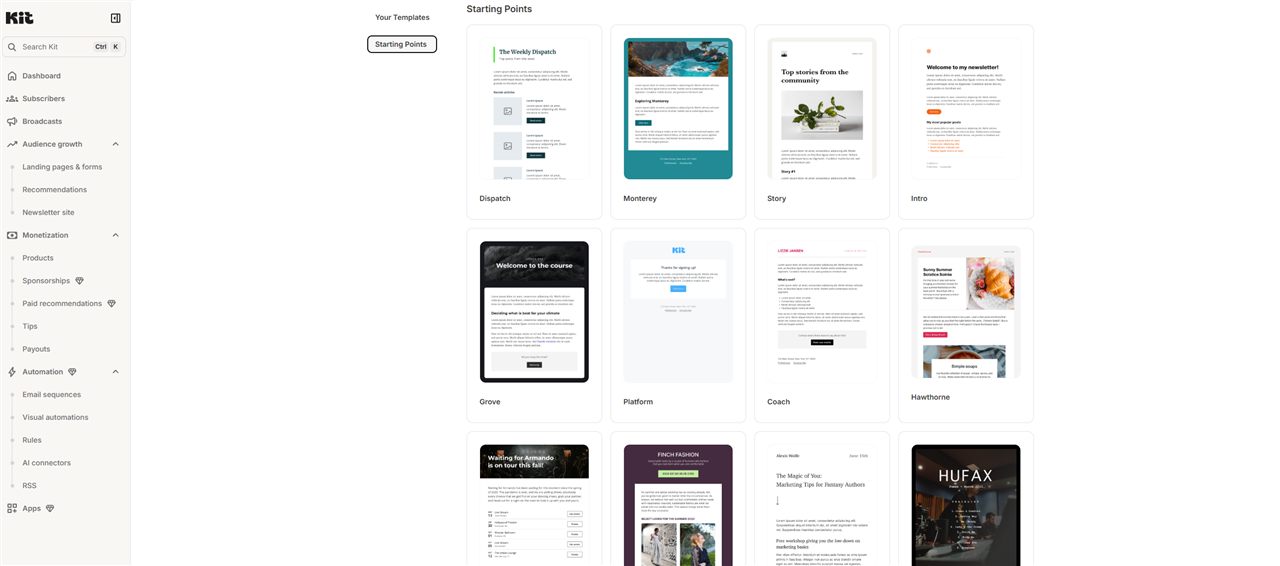
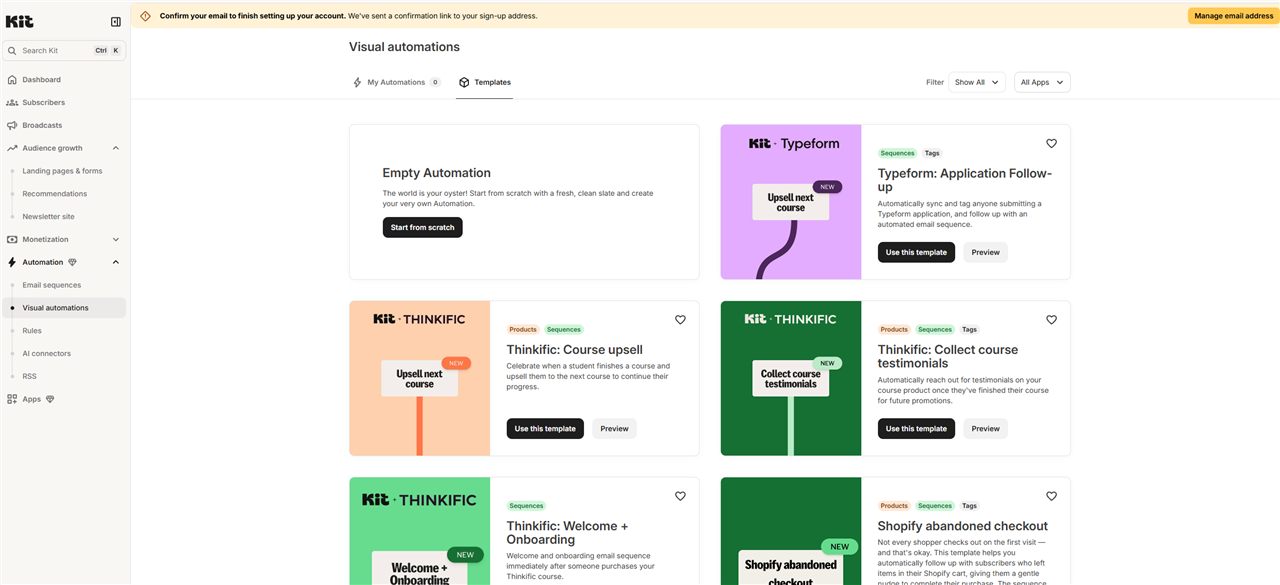
I registered a free Kit account and clicked around the dashboard. The sequence editor is plain and fast: subject line, schedule, text editor, done. Visual automations ship with ready-made templates (Typeform follow-ups, course upsells, Shopify abandoned checkout), which saves a lot of setup. The newsletter site builder offers starting templates in a few clicks. Nothing here needs a marketing team.
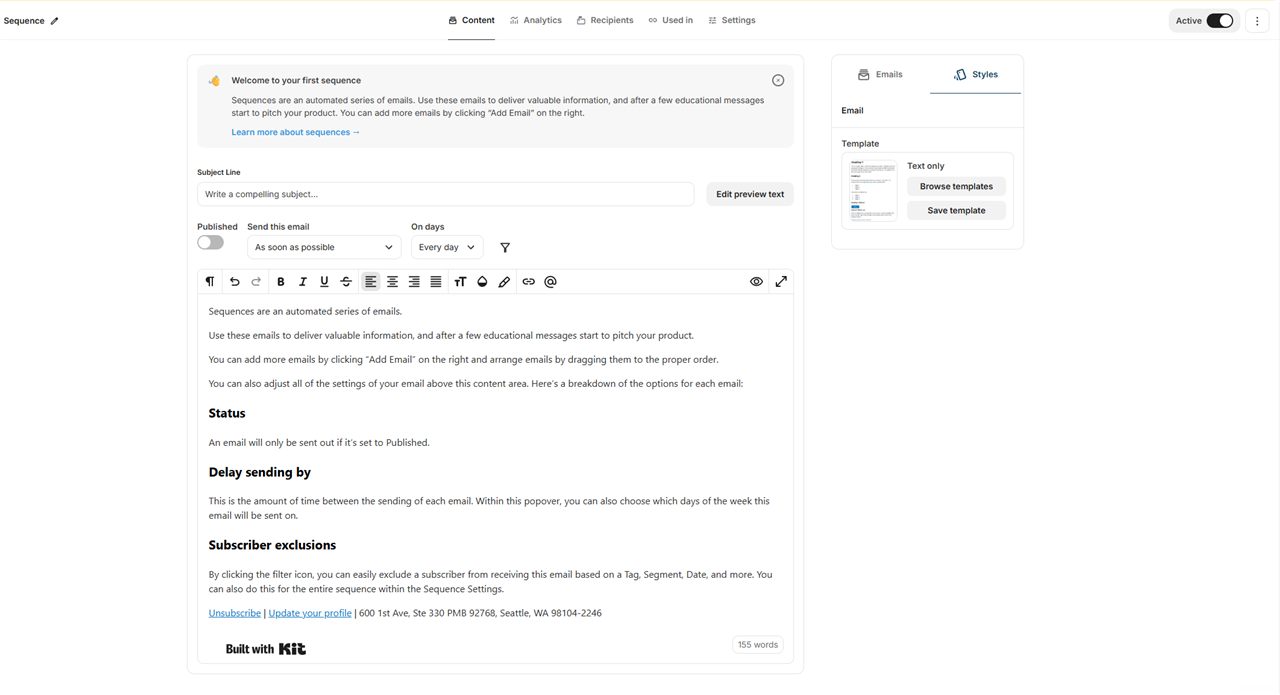
Kit email sequence editor showing subject line, schedule and plain text editor
The email sequence editor: subject line, schedule, plain text editor.
Kit visual automations template gallery with Typeform, Thinkific and Shopify templates
Visual automations come with ready-made templates.
Kit newsletter site builder starting point templates: Dispatch, Monterey, Story
The newsletter site builder: pick a starting template and publish.

FAQ

Do I need a website to use Kit?

No. Kit includes free landing pages and forms, so you can collect subscribers with nothing but a Kit account.

Is there a free plan?

Yes — the Newsletters plan is free for up to 10,000 subscribers with unlimited sending.

Can I sell paid newsletters with Kit?

Yes. Kit handles paid newsletters and digital products, including the payments (fees apply).

Ready to grow your newsletter?

Start free, no credit card required.

Try Kit Free →